Imagine walking into the gym, ready to crush your workout goals, but unsure of how to maximize your Apple Watch’s potential. You know it’s packed with features, but where do you start?
What workout setting should you choose to accurately track your progress and ensure every bead of sweat counts? Understanding how to use your Apple Watch effectively can transform your fitness routine from average to extraordinary. This article will guide you through selecting the right workout settings for the gym, helping you unlock your full potential and achieve your fitness dreams.
Get ready to revolutionize your workouts and make every session more efficient and rewarding.

Credit: www.yahoo.com
Choosing The Right Workout
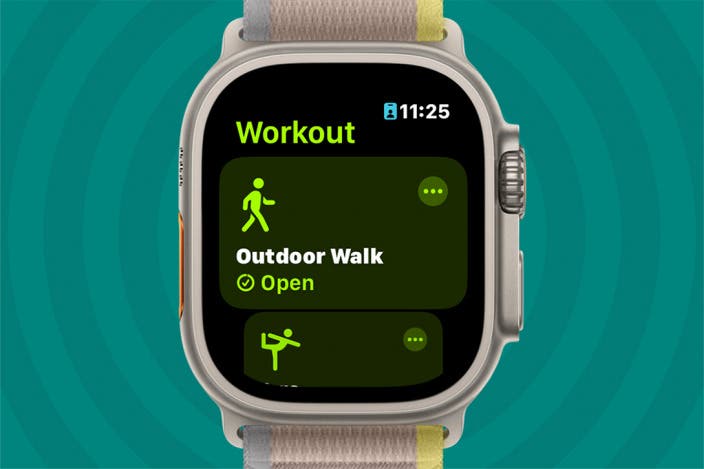
Choosing the right workout setting on your Apple Watch can elevate your gym experience. This small gadget on your wrist is packed with features to help you tailor your workouts to fit your goals. Whether you’re diving into strength training, revving up your cardio sessions, or sweating through high-intensity intervals, there’s a workout setting designed to optimize your results. But how do you know which one is right for you? Let’s explore the options.
Strength Training Options
If you’re hitting the weights, the Apple Watch has settings to help you track your progress. The Strength Training option is perfect for those focusing on muscle growth and endurance. It monitors your heart rate and calories burned, offering insights into your effort level. Picture this: you’re lifting heavier with each session and seeing your stats improve. It’s like having a personal trainer cheering you on. Have you ever wondered how much more you could push if you tracked every rep?
Cardio Sessions
Are you aiming to boost your heart health or burn calories? Cardio sessions on your Apple Watch are a great fit. This setting tracks your pace, distance, and heart rate, making it ideal for running, cycling, or rowing. Imagine a morning jog where you challenge yourself to beat last week’s pace. With real-time feedback, every step feels more purposeful. Have you considered how a slight increase in pace could impact your fitness journey?
Hiit Workouts
High-intensity interval training (HIIT) is all about short bursts of energy and quick recovery periods. The Apple Watch’s HIIT setting keeps up with your rapid transitions, ensuring your heart rate data stays accurate. This setting is perfect for mixing up your routine and maximizing calorie burn in a short time. Imagine crushing a quick session and feeling the exhilarating post-workout buzz. Are you ready to push your limits and redefine your fitness goals?
Credit: www.iphonelife.com
Customizing Workout Metrics
The Apple Watch has transformed how we track our workouts, offering a plethora of metrics that can be customized to suit your fitness goals. Whether you’re lifting weights or running on the treadmill, tailoring these metrics can give you deeper insights into your performance and help you achieve better results.
Tracking Heart Rate
Your heart rate is a crucial indicator of workout intensity. Apple Watch provides real-time heart rate tracking, allowing you to monitor how hard you’re working. You can set heart rate zones to ensure you’re training at the optimal level for your goals, whether it’s fat burning or endurance. Imagine knowing exactly when to push harder or ease off for maximum efficiency.
Monitoring Calories Burned
Understanding the calories you’ve burned during a workout helps you manage your energy balance. With Apple Watch, you can customize your calorie tracking based on your personal stats, such as weight and age. It’s satisfying to see the numbers climb, knowing your efforts are paying off. How many calories do you aim to burn in each session?
Analyzing Distance And Speed
For those who enjoy running or cycling, distance and speed are key metrics. Apple Watch lets you customize these to get detailed insights into your pace and progress. Are you hitting your target speed, or need to adjust your technique? Tracking these metrics can lead to improvements and personal bests. Challenge yourself to go just a little faster each time.
Utilizing Gym Equipment
When working out at the gym, your Apple Watch can be a powerful ally in tracking your progress and optimizing your exercises. Utilizing gym equipment effectively with your Apple Watch not only enhances your workout experience but also ensures that you get the most accurate data on your fitness journey. Whether you’re a beginner or a seasoned gym-goer, understanding how to sync your Apple Watch with gym machines and external devices can transform your workout routine.
Pairing With Gym Machines
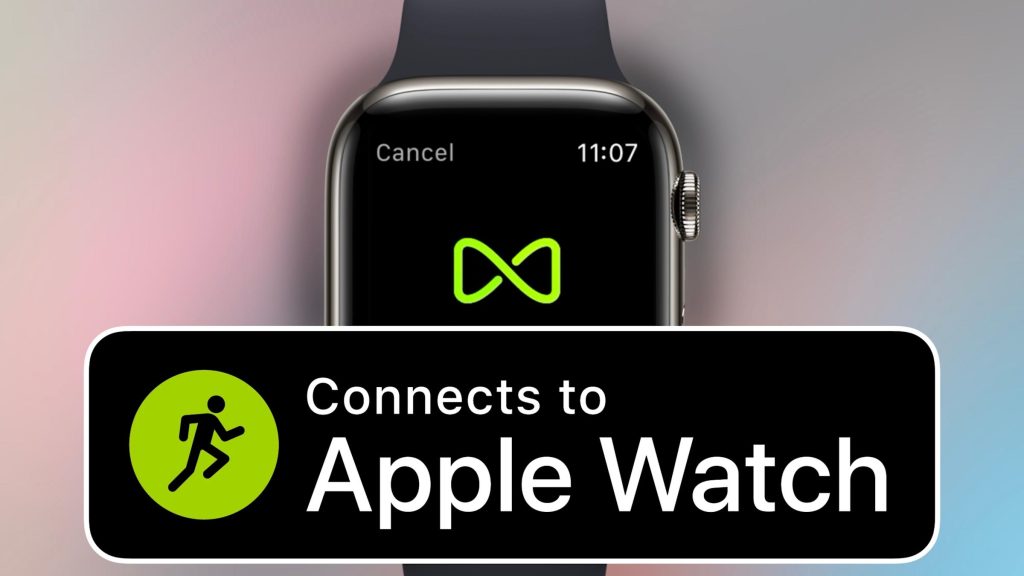
Did you know your Apple Watch can connect directly to some gym equipment? Many gyms now feature machines equipped with GymKit technology, allowing seamless integration with your Apple Watch. Simply tap your watch on the machine, and it will automatically sync to track your workout metrics.
This feature is particularly useful for cardio machines like treadmills and ellipticals, where it can accurately record your speed, distance, and calories burned. Next time you’re at the gym, look for machines with the GymKit label. It’s a game-changer for those who want precise data without manual entry.
Using External Devices
Your Apple Watch isn’t just limited to gym machines. You can also connect it to external devices like Bluetooth heart rate monitors for more detailed insights. These devices often provide more precise heart rate data, especially during high-intensity workouts.
Pairing these external devices is straightforward. Go to your watch settings, enable Bluetooth, and select the device you wish to pair. This additional data can offer insights into your workout intensity, helping you push your limits safely.
As you explore these options, ask yourself: Are you fully utilizing the technology at your fingertips? By integrating your Apple Watch with gym machines and external devices, you can elevate your fitness routine and achieve your goals more effectively.
Setting Goals And Alerts
Setting goals and alerts on your Apple Watch helps optimize gym workouts. Track progress and receive reminders to stay motivated.
Setting fitness goals and alerts on your Apple Watch can enhance your gym experience. With these features, you can stay motivated and track your progress easily.Setting Fitness Goals
Apple Watch allows you to set specific fitness goals. You can choose from calorie burn, workout duration, or distance covered. Setting these goals helps in focusing your gym efforts. It keeps you accountable and motivated throughout your workout. It’s simple to adjust these targets based on your progress.Enabling Workout Reminders
Enable workout reminders to stay consistent in your gym routine. The Apple Watch sends alerts to remind you of your scheduled workouts. This feature is helpful for maintaining regular exercise habits. It nudges you to stick to your fitness plan even on busy days.Tracking Progress And Results
Choosing the right workout setting on Apple Watch helps track gym progress effectively. Select strength training or cardio to monitor performance and results accurately.
Tracking progress and results with your Apple Watch during gym workouts is more than just numbers; it’s about understanding your fitness journey. The device offers a detailed insight into your performance, allowing you to make informed decisions about your exercise routine. By analyzing this data, you can tailor your workouts to better suit your goals and improve your efficiency.Reviewing Workout History
Your workout history on the Apple Watch is like a diary of your fitness achievements. Each session is recorded meticulously, providing a snapshot of your efforts. Viewing past workouts can help you identify which exercises yield the best results and which need tweaking. Take a moment after each session to glance at your history. What did you achieve today? How does it compare to last week? This reflective practice can lead to substantial improvements over time.Evaluating Performance Trends
Performance trends offer a broader perspective on your fitness evolution. Are your runs getting faster? Is your strength training more robust than before? Analyze these trends to spot patterns and adjust your routine accordingly. Consider setting new goals based on these insights. If you’re improving steadily, maybe it’s time to increase the intensity or duration of your workouts. What do your trends say about your consistency? Are there areas that need more focus? Use this information to refine your approach and maximize your results.Integrating With Fitness Apps
Choosing the right workout setting on Apple Watch enhances gym sessions. Tailor your fitness goals by selecting from various exercises like strength training or indoor cycling. Stay motivated with real-time metrics and personalized coaching on your wrist.
Integrating your Apple Watch with fitness apps can transform your gym workouts. It offers seamless connectivity and a treasure trove of data to help you optimize every session. Imagine having a personal trainer on your wrist, meticulously tracking your progress and guiding your fitness journey with precision.Compatible Apps Overview
The Apple Watch boasts compatibility with numerous fitness apps that cater to diverse workout needs. From popular names like Strava and Nike Training Club to specialized apps like MyFitnessPal, the options are plentiful. These apps can track everything from running and cycling to strength training, ensuring you have the right tools at your disposal.Syncing Data With Health Apps
Syncing your Apple Watch with health apps is straightforward and highly beneficial. By connecting to apps like Apple Health and Fitbit, you can consolidate your workout data in one place. This not only makes tracking your progress easier but also offers insights into your overall health and wellness. Have you ever wondered if you’re truly maximizing your gym time? With integrated fitness apps, you can analyze your performance, set new goals, and push your limits. By leveraging this technology, you can make informed decisions and take control of your fitness journey.Tips For Maximizing Gains
Maximizing gains at the gym requires the right tools and knowledge. The Apple Watch is a powerful companion for tracking workouts. To make the most of its features, adjust your settings properly. This ensures you’re getting accurate data and effective workouts. Here are some tips to help you optimize your Apple Watch for gym sessions.
Optimizing Workout Settings
Choose the right workout type on your Apple Watch. Select from options like strength training, HIIT, or indoor cycling. This ensures your calorie count is accurate. Adjust the activity goals in the Activity app. Set realistic targets based on your fitness level. Use the heart rate monitor to stay in the optimal zone. It helps in tracking intensity and effort.
Avoiding Common Mistakes
Make sure your watch is snug on your wrist. A loose fit can cause inaccurate readings. Don’t forget to start and stop your workout. This ensures your session is recorded fully. Avoid ignoring rest periods. Use the timer to track rest between sets. This helps maintain a consistent workout pace.
Use these tips to get the most from your Apple Watch. With proper settings, you can track progress and reach your fitness goals efficiently.

Credit: www.yahoo.com
Frequently Asked Questions
What Workout Modes Are Available On Apple Watch For The Gym?
Apple Watch offers various gym workout modes like Indoor Run, Indoor Cycle, and Functional Strength Training. These modes help track your performance accurately. By selecting the right mode, you can monitor your heart rate, calories burned, and other vital metrics.
This ensures your gym sessions are both effective and efficient.
How Do I Track Weightlifting On Apple Watch?
To track weightlifting, use the Functional Strength Training mode. This mode is specifically designed for resistance exercises. It helps you monitor your heart rate and calorie burn. You can also customize the settings for better tracking. This way, you can optimize your lifting sessions and achieve better results.
Can Apple Watch Track My Gym Heart Rate?
Yes, Apple Watch effectively tracks your heart rate during gym workouts. It uses advanced sensors to provide real-time heart rate data. By monitoring your heart rate, you can ensure you’re exercising in the right intensity zone. This helps in achieving your fitness goals more efficiently and safely.
Does Apple Watch Offer Hiit Workout Settings?
Apple Watch includes a HIIT (High-Intensity Interval Training) workout setting. This mode is perfect for short bursts of intense activity. It accurately tracks your heart rate and calories burned. HIIT sessions can be customized for duration and rest periods, providing a tailored workout experience for maximum results.
Conclusion
Choosing the right Apple Watch workout setting boosts your gym results. It’s important to match the setting with your exercise type. This ensures accurate tracking and helps you stay motivated. Whether lifting weights or running, there’s a setting for you.
Explore the options. Experiment to find what fits best. Track progress and celebrate small wins. Remember, consistency is key for fitness success. Using Apple Watch effectively can support your fitness journey. Make every workout count. Stay active, stay healthy, and enjoy your workouts!