Are you ready to make the most out of your gym sessions with the power of technology? If you’re an Apple Watch owner, you’re already wearing a versatile fitness tool right on your wrist.
But with so many workout options available, you might wonder which one is best suited for your gym routine. Whether you’re a seasoned athlete or just starting your fitness journey, choosing the right workout can make all the difference in achieving your goals.
This isn’t just about tracking your time spent at the gym; it’s about optimizing every movement and ensuring each drop of sweat counts. Dive in to discover how your Apple Watch can transform your workouts into powerful, data-driven experiences that keep you motivated and on track. Ready to unlock the full potential of your gym workouts? Let’s get started.
Credit: www.yahoo.com
Choosing The Right Workout App
Choosing the right workout app for your Apple Watch can enhance your gym sessions. The right app provides motivation, guidance, and tracks your progress. It’s essential to find one that suits your fitness goals and preferences. Here’s a look at some options.
Built-in Options
Apple Watch comes with several built-in workout apps. These apps are user-friendly and sync seamlessly with other Apple devices. The Workout app, for instance, tracks various exercises like running, cycling, and swimming. It offers real-time stats like heart rate and calories burned. Fitness+ provides guided workouts led by professional trainers. It’s perfect for those who prefer structured routines.
Third-party Alternatives
Many third-party apps offer unique features for diverse workout needs. Strava is great for tracking outdoor activities like cycling or running. It connects with a community for sharing achievements. MyFitnessPal helps track nutrition alongside workouts, offering a holistic health view. Nike Training Club provides a wide range of workouts from yoga to strength training. These apps often offer customizable plans and user-friendly interfaces.
Tracking Cardio Sessions
Tracking cardio sessions on the Apple Watch enhances gym workouts by monitoring heart rate and calories burned. This helps in optimizing fitness goals with accurate data, ensuring an effective workout routine.
Tracking Cardio Sessions on your Apple Watch opens up a world of possibilities for optimizing your gym workouts. The watch’s features enable you to monitor your heart rate, calories burned, and distance traveled, helping you to push your limits and achieve your fitness goals. Whether you’re hitting the treadmill or the rowing machine, the Apple Watch provides crucial data that can enhance your performance and motivate you to keep going. Imagine the satisfaction of seeing your progress over time—it’s like having a personal coach right on your wrist.Running And Walking
Running and walking are among the most accessible forms of cardio, and your Apple Watch is perfectly equipped to track these activities. By setting a specific distance or time goal, you can monitor your pace and heart rate in real-time. You might notice the difference in your stamina after a few weeks of consistent tracking. The watch even provides reminders to adjust your stride for optimal results. Have you ever tried sprint intervals to boost your endurance?Cycling And Rowing
Cycling and rowing are excellent for building strength and endurance, and your Apple Watch offers tailored tracking for both. With cycling, the watch calculates your speed and elevation, giving insights into your power output. Rowing, on the other hand, focuses on stroke rate and intensity. As you measure your progress, consider adjusting your workout plan to challenge your limits further. Have you thought about integrating resistance training into your routine for a balanced fitness approach?Strength Training
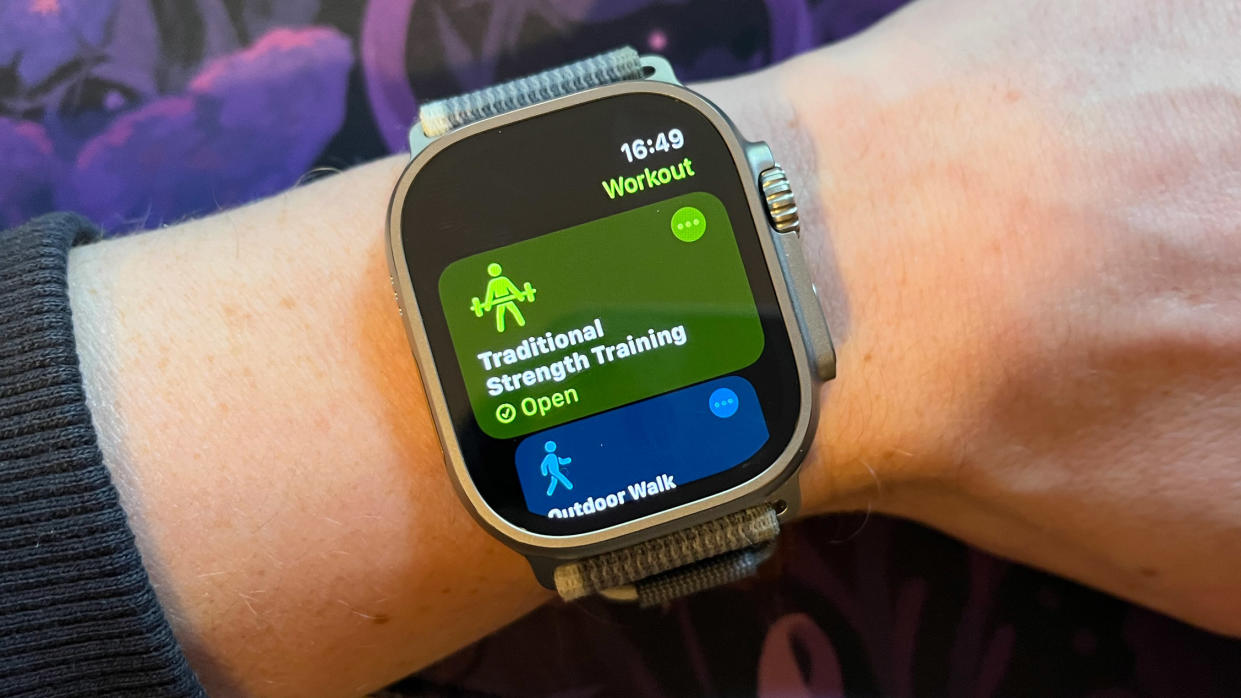
Explore the Apple Watch’s Workout app for gym sessions tailored to strength training. Track your heart rate and calories burned to optimize your fitness routine.
Strength Training on your Apple Watch opens up a world of possibilities for gym enthusiasts seeking to maximize their workouts. With its innovative features, you can easily track your progress and push your limits in strength training. Whether you’re lifting weights or focusing on bodyweight exercises, the Apple Watch provides invaluable insights to enhance your fitness journey.Weightlifting Modes
When you’re at the gym, the Apple Watch can become your best companion for weightlifting. It has various modes tailored for different types of weightlifting activities. Imagine you’re setting up for a heavy deadlift. With your Apple Watch, you can monitor your heart rate and track calories burned, ensuring you stay within your target zones. Plus, logging your sets and reps is seamless, allowing you to focus more on lifting and less on recording.Bodyweight Exercises
Not all strength training requires heavy weights. Your Apple Watch is equally adept at tracking bodyweight exercises. Whether you’re doing push-ups, squats, or planks, the watch provides real-time feedback on your effort levels. This encourages you to push harder and test your limits, knowing your watch is tracking every move. Have you ever wondered if you’re truly challenging yourself during your workout? Your Apple Watch takes the guesswork out, helping you ensure you’re making the most of your gym time.Monitoring Heart Rate
Apple Watch offers gym workout options that track heart rate effectively. Choose cardio exercises like running or cycling to monitor heart rate during intense sessions. Strength training options also allow heart rate monitoring for optimal performance.
Monitoring heart rate during workouts is vital for gym enthusiasts. With the Apple Watch, tracking your heart rate becomes seamless and insightful. It helps you understand how your body responds to exercises. By keeping an eye on heart rate, you can adjust your workout for better results and safety. This feature is a game-changer for anyone serious about fitness.Benefits Of Heart Rate Tracking
Heart rate tracking offers multiple advantages during gym sessions. It helps you measure workout intensity. You can see how hard your heart is working. This insight helps tailor workouts to your fitness level. Heart rate data can also signal when you need to rest. This prevents overexertion and reduces injury risk. Keeping track of heart rate ensures a balanced workout routine.Optimizing Intensity Levels
The Apple Watch helps optimize your workout intensity. It provides real-time heart rate data. This information guides you in maintaining the right intensity. Staying in the optimal heart rate zone boosts calorie burn. It also improves cardiovascular health. The watch alerts you if your heart rate spikes. This ensures you stay within safe limits. Adjusting workout intensity becomes easier and more effective.Utilizing Custom Workouts
Utilizing custom workouts on your Apple Watch can transform your gym experience. With personalized plans, you can tailor your exercise routine to match your fitness goals. The Apple Watch becomes your personal trainer, adapting to your needs and pushing you to achieve more. But how do you create these custom workouts?
Creating Personalized Plans
Creating personalized plans on your Apple Watch is straightforward. Start by identifying your fitness goals. Are you aiming for strength, endurance, or flexibility? Once you have your goals in mind, you can begin to design your workout routine.
Use the Apple Watch to set specific exercises, durations, and repetitions. The app offers a range of customizable options, from cardio to strength training. You can even mix and match different types of workouts to keep things interesting. Imagine the thrill of seeing your tailored plan unfold on your wrist, guiding you through each session.
Tracking Progress
Tracking progress is where the Apple Watch shines. With detailed metrics, you can monitor your performance over time. The watch tracks your heart rate, calories burned, and even your recovery time. This data is crucial for understanding how your body responds to different workouts.
Reflect on your progress weekly. Are you meeting your goals, or do you need to adjust your plan? The Apple Watch provides insights that help you tweak your workouts for optimal results. Consider setting milestones to celebrate achievements, keeping you motivated and focused.
Have you ever thought about how a simple change in your workout routine can drastically impact your results? With the Apple Watch, each small adjustment can lead to significant improvements. How will you make the most out of your custom workouts today?
Integrating Health And Fitness Apps
The Apple Watch is not just a timepiece; it’s a powerful tool for enhancing your gym workouts. By integrating health and fitness apps, you can transform your exercise routine into a comprehensive wellness experience. This integration allows you to track various aspects of your health, ensuring you have a holistic view of your progress and areas for improvement.
Nutrition Tracking
Have you ever wondered how your diet impacts your workout performance? With nutrition tracking apps on your Apple Watch, you can keep tabs on your calorie intake and nutrient balance. Imagine finishing a workout and immediately logging your post-exercise meal on your wrist. This immediate feedback helps you adjust your eating habits to fuel your fitness goals effectively.
Consider apps like MyFitnessPal or Lose It! that sync with your watch, providing real-time data on your nutritional intake. You can set goals and get reminders to stay on track. This integration turns meal planning into a seamless part of your daily routine, making your nutritional journey as dynamic as your workouts.
Sleep Analysis
Have you ever questioned the impact of sleep on your gym performance? Sleep analysis apps on your Apple Watch can provide insights into your sleep patterns and quality. Better sleep means better recovery, which can lead to improved performance in the gym.
Apps like Sleep++ or AutoSleep track your sleep duration and quality, offering valuable feedback right on your wrist. You might discover that your workout intensity is higher on days following a good night’s sleep. This insight can help you prioritize rest, ensuring your body is ready for the next challenge.
By understanding your sleep data, you can make informed decisions about when to push harder and when to take it easy. Is your body telling you it needs more rest? Listen to it. This knowledge empowers you to tailor your workouts to your body’s needs.
Maximizing Gains With Goal Setting
Apple Watch gym workouts enhance goal setting for fitness gains. Track progress, set achievable targets, and adjust routines efficiently. Real-time data aids in refining workout intensity for optimal results.
Maximizing Gains with Goal Setting Using your Apple Watch for workouts can be a game-changer at the gym, especially when you’re focused on maximizing gains through effective goal setting. By setting clear goals, you can track your progress, stay motivated, and see tangible results. Your Apple Watch acts as your personal coach, guiding you to reach those fitness milestones.Setting Realistic Goals
Start by setting realistic goals that are achievable and specific. Instead of aiming to “get fit,” focus on lifting a certain weight or running a mile in a set time. This gives you a clear target to work towards. Use your Apple Watch to track these metrics. It’s satisfying to see your progress visually, and it keeps you motivated. Remember, it’s about progress, not perfection. Adjust your goals as you improve to keep challenging yourself.Using Reminders And Alerts
Leverage the power of reminders and alerts on your Apple Watch. These features ensure you stay on track with your workout schedule. Set reminders for specific times to hit the gym or for hydration breaks. Alerts can notify you when you’ve reached a milestone, like completing a set number of steps or calories burned. Think about how satisfying it will feel when your wrist buzzes, letting you know you’ve smashed another goal. Use these tools to stay disciplined and consistent in your workouts. Are you using your Apple Watch to its full potential in your gym sessions?
Credit: www.reddit.com
Analyzing Workout Data
Apple Watch’s gym workout feature tracks exercise data, including heart rate, calories burned, and activity duration. This helps users optimize fitness routines and achieve personalized goals efficiently. Accessing detailed metrics enhances understanding of workout progress and supports effective training strategies.
Analyzing Workout Data Apple Watch offers an incredible tool for fitness enthusiasts. It provides detailed workout data to enhance gym sessions. By examining these metrics, users can understand their fitness levels better. This insight aids in tailoring workouts to achieve specific goals.Interpreting Metrics
The watch displays various metrics during workouts. These include heart rate, calories burned, and activity duration. Heart rate data helps assess workout intensity. Calories burned give a sense of energy expenditure. Activity duration shows commitment and consistency. Understanding these metrics can guide effective workout planning.Adjusting Routines
Based on data, gym-goers can refine their exercise routines. If heart rate is consistently high, it may indicate overexertion. This suggests a need for lighter exercises or more rest. Low calorie burn might point to insufficient workout intensity. Adjusting routines ensures exercises align with fitness goals. Regularly checking these metrics aids in maintaining an optimal exercise regime.
Credit: www.instagram.com
Frequently Asked Questions
How Do I Track Gym Workouts On Apple Watch?
To track gym workouts, open the Workout app on your Apple Watch. Select the type of workout you’re doing, like strength training or indoor cycling. Start your session to track metrics like heart rate and calories burned. You can also customize metrics by using the Activity app on your iPhone.
Can Apple Watch Count Reps For Strength Training?
Apple Watch doesn’t automatically count reps for strength training. However, you can manually track sets and reps using third-party apps like Strong or Gymaholic. These apps allow you to input your workout details, helping you keep an accurate record of your strength training sessions.
Which Apple Watch Workout Is Best For Cardio?
For cardio workouts, choose the “Indoor Run” or “Indoor Cycle” options in the Workout app. These workouts track heart rate, calories, and distance effectively. If you’re doing HIIT, select “High Intensity Interval Training” for accurate tracking. Adjust settings to match your workout intensity for precise data.
Can I Customize Gym Workout Metrics On Apple Watch?
Yes, you can customize workout metrics on your Apple Watch. Open the Workout app, select a workout, and swipe right to access settings. Tap “Metrics” to choose what you want to display during workouts. Tailor the metrics to focus on heart rate, calories burned, or time elapsed.
Conclusion
Apple Watch makes gym workouts easy and fun. You track your progress. You set goals and see results. Heart rate monitoring helps you stay safe. Different workout modes give variety. Strength training or cardio, it suits your style. Connect with friends for motivation.
Enjoy the detailed workout analysis. You improve each session. The watch encourages healthy habits. It fits your lifestyle perfectly. With Apple Watch, fitness is accessible. Simple and effective. Your gym routine gets better every day. Start your fitness journey today.
Explore the benefits and feel the difference.