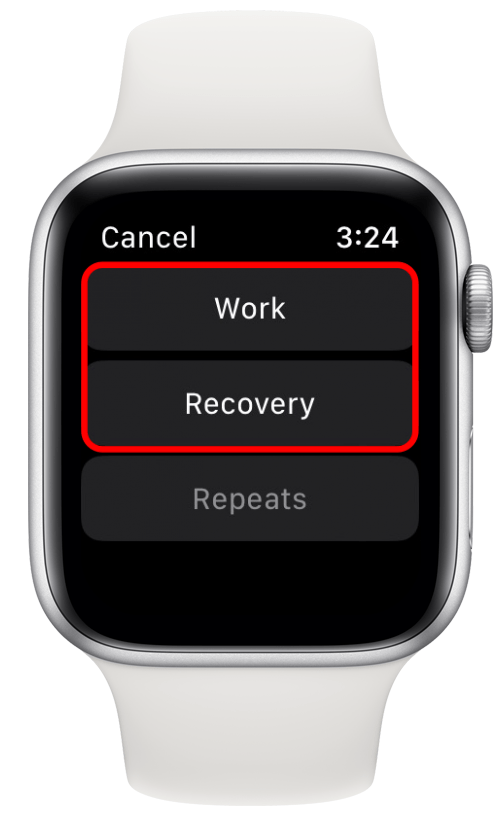
Imagine stepping into the gym, ready to crush your workout, with your Apple Watch as your ultimate fitness companion. But wait—do you know which workout mode to choose for the best results?
If you’re curious about optimizing your gym sessions with your Apple Watch, you’ve landed on the right page. You’ll uncover the secrets to selecting the perfect workout mode, maximizing your performance, and reaching your fitness goals faster. Whether you’re lifting weights, hitting the treadmill, or exploring new exercises, understanding how to harness the power of your Apple Watch can make all the difference.
Ready to elevate your gym game? Let’s dive in!
Choosing The Right Workout Mode
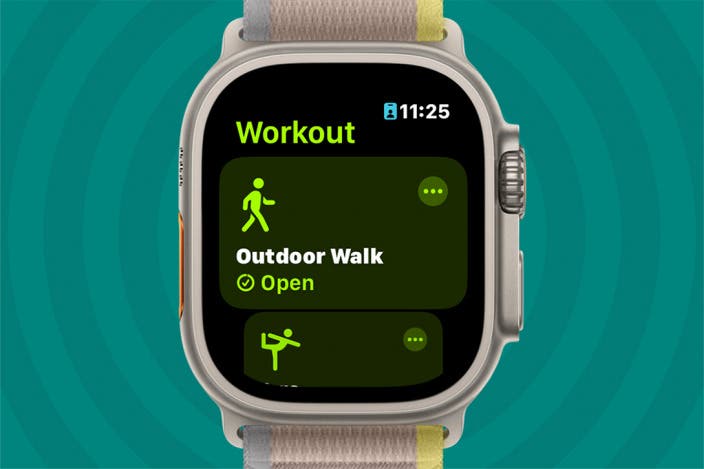
Choosing the right workout mode on your Apple Watch for gym sessions can enhance your fitness experience. Tailor your tracking by selecting modes like strength training, HIIT, or yoga to match your exercise routine. This ensures accurate monitoring and helps you achieve your fitness goals effectively.
Choosing the right workout mode on your Apple Watch can make a significant difference in how you approach your gym sessions. Each mode is specifically designed to cater to different types of exercises, ensuring you get the most accurate tracking and feedback. Whether you’re aiming for intensity, building strength, or pumping up your cardio, selecting the appropriate mode can help you optimize your workout routine.High-intensity Interval Training
High-Intensity Interval Training (HIIT) is perfect for those who thrive on bursts of energy and quick transitions. The Apple Watch’s HIIT mode is tailored for short, intense workouts, capturing calories burned and heart rate with precision. During a HIIT session, your watch will track the variability in your heart rate, ensuring you push your limits safely. Ever wondered if you’re really giving your all in those short bursts? HIIT mode provides the feedback you need to adjust your effort in real-time.Strength Training
For those focused on building muscle, the Strength Training mode on your Apple Watch is invaluable. This mode tracks your heart rate and calories burned during weight lifting or bodyweight exercises. While lifting, it’s crucial to monitor your rest periods and intensity. The watch helps you maintain consistency, providing insights that can help you push through those last reps. Do you find yourself losing track of your sets? Your watch can keep you on track, ensuring you meet your strength goals.Cardio Workouts
Cardio enthusiasts will appreciate the dedicated Cardio Workouts mode. Whether you’re on a treadmill, elliptical, or out for a run, this mode keeps tabs on your pace, distance, and heart rate. Cardio mode adapts to different activities, offering accurate data no matter your choice of exercise. Are you hitting your target heart rate zone? With real-time feedback, you can adjust your pace to stay within your desired range, maximizing your cardiovascular benefits. Choosing the right workout mode on your Apple Watch enhances your gym experience, offering tailored insights that can transform your fitness journey.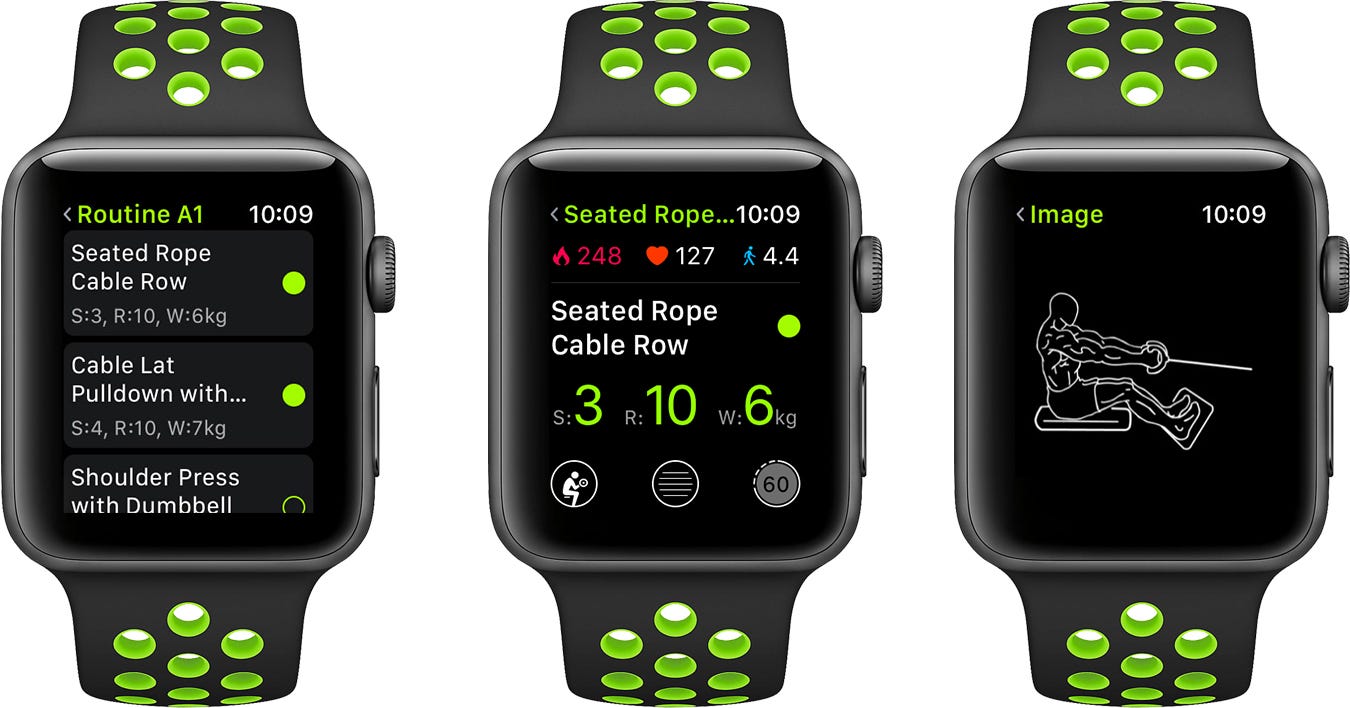
Credit: abras.medium.com
Customizing Workout Metrics
Customizing workout metrics on the Apple Watch enhances your gym sessions. It offers flexibility to focus on what matters most to you. Tailor your data to track progress accurately and stay motivated.
Heart Rate Monitoring
Heart rate monitoring is crucial for effective workouts. The Apple Watch displays real-time heart rate data. You can assess intensity and adjust your pace. This helps in achieving optimal results without overexertion.
Calorie Tracking
Calorie tracking helps in maintaining fitness goals. The watch calculates calories burned based on activity type and intensity. Knowing your calorie expenditure aids in creating a balanced diet plan. It ensures you consume the right amount to support your fitness journey.
Distance Measurement
Distance measurement is vital for runners and cyclists. The Apple Watch accurately tracks the distance covered. This feature helps in setting realistic goals and monitoring improvements. It keeps you informed about your progress in every session.
Optimizing Workout Settings
The Apple Watch offers a range of features for gym enthusiasts. Optimizing workout settings can enhance your exercise sessions. By fine-tuning certain aspects, you can make the most of your workouts. This guide will help you adjust goals, set alerts, and enable power saving mode.
Adjusting Goals
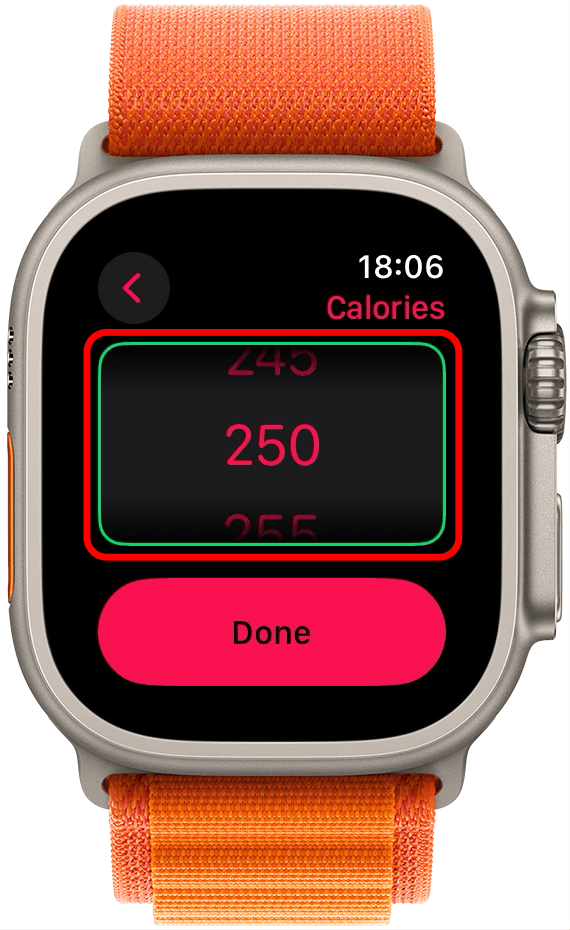
Setting clear goals is vital for effective workouts. On your Apple Watch, you can customize these goals easily. Open the Workout app and tap the desired exercise. Use the Digital Crown to adjust calorie, time, or distance goals. Tailor each session to match your fitness level.
Setting Alerts
Alerts keep you on track during workouts. You can set alerts for pace, heart rate, and more. To set them, open the Workout app and choose an exercise. Tap on the three dots to access options. Choose the alerts that align with your fitness objectives. Stay informed and motivated.
Enabling Power Saving Mode
Long workouts can drain your battery. Enable power saving mode to extend battery life. Go to Settings on your Apple Watch. Tap on ‘Workout’ and toggle on ‘Power Saving Mode’. This reduces heart rate sensor use. Keep your focus on the workout, not battery life.
Tracking Progress Over Time
Tracking progress becomes easy with Apple Watch’s Workout Mode. It monitors heart rate, calories, and duration during gym sessions. Stay motivated by seeing improvements over time.
Tracking your progress over time is crucial for maximizing your gym workouts with Apple Watch. It’s not just about numbers; it’s about understanding the story your data tells and using it to push yourself further. The Workout Mode on your Apple Watch provides comprehensive metrics that help you see how far you’ve come and where you can go next. Let’s dive into how you can effectively use this data to propel your fitness journey.Using Workout History
Your workout history is like a fitness diary on your wrist. It keeps track of every session, from calorie burn to heart rate, allowing you to review past performances. Imagine scrolling through your past workouts and realizing you’ve increased your bench press weight by 20 pounds over the last few months. This real-time data shows you the tangible results of your hard work. Are you using this information to celebrate your achievements and identify areas for improvement?Analyzing Trends
Analyzing trends in your workout data can reveal valuable insights. Are you consistently hitting your stride on the treadmill every Thursday, or does your heart rate drop during evening sessions? With Apple Watch, you can pinpoint patterns that affect your performance. These insights can help you adjust your routine for maximum efficiency. How can you use these trends to fine-tune your workouts and optimize your results?Setting New Targets
Setting new targets based on your progress can motivate you to keep pushing forward. Whether it’s running a faster mile or lifting heavier weights, your Apple Watch data helps set achievable goals. You see your progress laid out, encouraging you to aim higher. What new targets can you set today that will challenge you and keep your fitness journey exciting?Integrating With Third-party Apps
The Apple Watch transforms gym workouts by syncing with third-party apps. This integration enhances the fitness experience. It offers personalized data and insights. Users enjoy seamless connectivity with their favorite apps.
Fitness App Recommendations
Choose apps that complement your workout goals. Popular options include MyFitnessPal, Strava, and Nike Training Club. These apps offer various features tailored for gym enthusiasts. They provide workout plans, track progress, and offer motivation. The right app can support your fitness journey.
Syncing Data
Sync your Apple Watch with fitness apps for accurate data. This ensures your workout stats are always up to date. Syncing is simple and quick. With a few taps, your Apple Watch shares data with third-party apps. This helps in keeping all your fitness information in one place.
Enhancing Experience
Third-party apps enhance the gym experience by offering detailed insights. They provide feedback on performance and suggest improvements. Real-time analytics help in adjusting workouts as needed. Apps also offer social features for connecting with friends. This can motivate users and create a sense of community.
Credit: www.iphonelife.com
Tips For Maximizing Gains
Harnessing the full potential of your Apple Watch during gym workouts can boost your fitness journey. Explore simple strategies to maximize your gains and elevate your workout routine.
Consistency In Workouts
Stick to a regular workout schedule. Set achievable goals and track them on your Apple Watch. Consistency helps your body adapt and improve over time.
Use reminders on your watch to stay motivated. Regular tracking keeps you accountable and focused.
Balanced Nutrition
Fuel your body with the right nutrients. Monitor your calorie intake using apps on your Apple Watch. A balanced diet complements your workout efforts.
Include proteins, carbs, and healthy fats in your meals. Proper nutrition supports muscle growth and energy levels.
Adequate Rest And Recovery
Rest is vital for muscle repair. Track sleep patterns with your Apple Watch to ensure you’re getting enough rest.
Incorporate rest days into your routine. Recovery prevents injury and enhances performance.
Credit: www.iphonelife.com
Frequently Asked Questions
What Workout Modes Are Available On Apple Watch?
Apple Watch offers various workout modes for gym sessions. These include Indoor Run, Indoor Walk, Elliptical, Rower, Stair Stepper, and more. Each mode is tailored to track specific activities. You can also customize workouts to meet your fitness goals more effectively.
How Does Apple Watch Track Gym Workouts?
Apple Watch uses sensors to track your heart rate, calories, and distance. It provides real-time feedback during workouts. This helps you monitor your performance and make necessary adjustments. The data is automatically synced with the Health app for easy access and analysis.
Can Apple Watch Sync With Gym Equipment?
Yes, Apple Watch can sync with compatible gym equipment. This is possible through the GymKit feature. It allows seamless data exchange between the watch and equipment. This ensures more accurate tracking of your workouts and provides comprehensive fitness insights.
Is Apple Watch Accurate For Gym Workouts?
Apple Watch is generally accurate for gym workouts. It uses advanced sensors and algorithms to track activities. However, accuracy may vary based on workout type and conditions. Regular calibration and setting adjustments can improve tracking accuracy.
Conclusion
Exploring workout modes on your Apple Watch enhances gym sessions. Every mode offers unique features tailored to different exercises. Tracking progress becomes effortless with real-time data. Heart rate, calories, and activity rings provide valuable insights. You find motivation in every step, lift, or run.
Customizing workouts to suit your needs boosts effectiveness. The watch seamlessly supports your fitness journey with precision. Stay active, challenge yourself, and achieve goals with smart tracking. Your fitness adventure is just a tap away. Embrace the technology that empowers your gym routine.
Stay committed, and watch your progress unfold.