Have you ever found yourself standing in the middle of the gym, looking at your Apple Watch, and wondering which workout to select? With so many options available, choosing the right one can feel overwhelming.
But here’s the thing: the choice you make can significantly impact the effectiveness of your workout and the accuracy of your fitness tracking. Imagine unlocking the full potential of your gym sessions with just a tap on your wrist. Exciting, right?
You’re about to discover how to maximize your workouts using the Apple Watch. Whether you’re lifting weights, running on a treadmill, or doing a high-intensity interval training (HIIT) session, selecting the correct workout can help you achieve your fitness goals faster and more efficiently. Stay with us as we unravel the secrets to mastering your gym routine with the perfect Apple Watch workout choice tailored just for you.
Credit: www.tomsguide.com
Benefits Of Apple Watch For Gym Workouts
The Apple Watch is a powerful tool for fitness enthusiasts. It offers various features designed to enhance gym workouts. With its advanced technology, it becomes a personal fitness companion right on your wrist.
Tracking performance becomes seamless. Heart rate monitoring, calorie counting, and activity tracking are just a few of its capabilities. These features help users stay motivated and informed during their fitness journey.
Enhanced Heart Rate Monitoring
The Apple Watch provides real-time heart rate data. This helps track intensity levels during workouts. Users can adjust their efforts based on this information. This leads to safer and more effective exercise sessions.
Customizable Workout Options
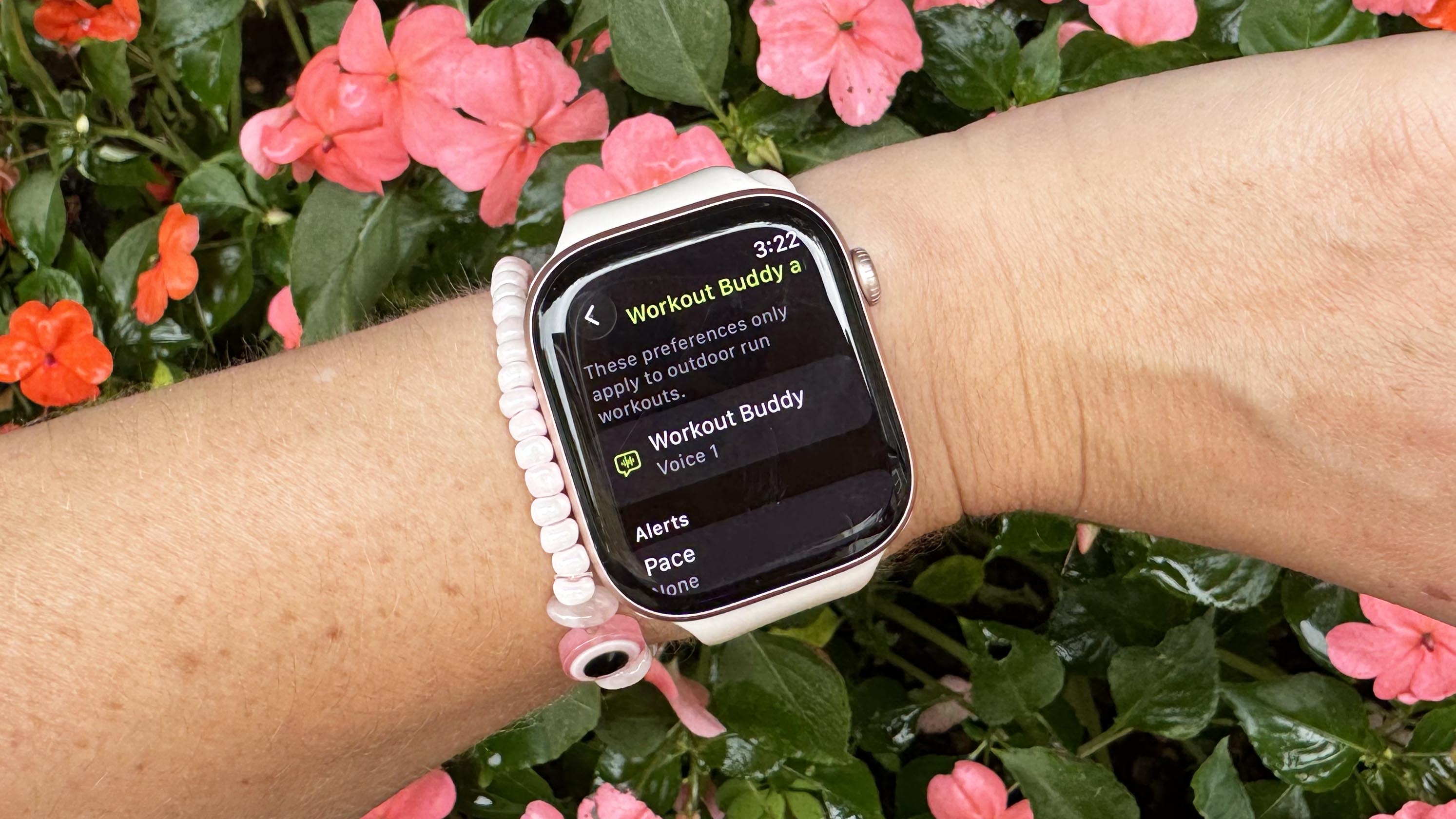
Users can choose from various workout modes. These include strength training, cardio, and yoga. The watch adapts to different routines. Users can personalize their workout settings for maximum benefit.
Activity Rings For Motivation
Activity rings keep users engaged and motivated. They visually represent daily movement goals. Completing these rings becomes a fun challenge. This encourages consistent physical activity every day.
Calorie Tracking And Goals
Keeping track of calories burned is easy with the Apple Watch. Users can set daily calorie goals. This helps with weight management and achieving fitness targets.
Seamless Integration With Fitness Apps
Apple Watch integrates with many popular fitness apps. Users can sync their workout data effortlessly. This creates a unified fitness experience.
Real-time Workout Feedback
Instant feedback during workouts helps improve performance. Users receive alerts and insights on their activities. This information guides them to make better fitness choices.
Personalized Coaching
Apple Watch offers personalized coaching features. This includes tailored advice based on user habits. It assists users in achieving their fitness goals efficiently.
Safety And Emergency Features
Emergency SOS and fall detection add safety to workouts. Users have peace of mind knowing help is available. This makes exercising safer.
Selecting The Right Workout Category
Choosing the right workout category on your Apple Watch can make all the difference in achieving your fitness goals. With a variety of options available, it’s important to select a workout that aligns with your current fitness level and objectives. Whether you’re hitting the gym for cardio, lifting weights, or tackling a high-intensity interval session, your Apple Watch can help you track your progress and keep you motivated. But how do you decide which workout category is best for you?
Cardio Options
If you’re looking to elevate your heart rate and improve cardiovascular endurance, consider selecting a cardio category on your Apple Watch. Options like Indoor Run, Indoor Cycle, or Stair Stepper can help you track distance, calories burned, and heart rate. Imagine jogging on a treadmill while your watch keeps tabs on your pace, pushing you to beat your previous record. Cardio workouts are perfect for boosting energy and mood. What’s your favorite cardio exercise to get the blood pumping?
Strength Training Choices
For those focused on muscle building, strength training categories like Functional Strength Training or Traditional Strength Training are ideal. These categories allow you to monitor calories burned, duration, and heart rate during your lifting sessions. Picture yourself at the gym, surrounded by weights, while your Apple Watch tracks each set and rep, providing valuable feedback. Strength workouts not only build muscle but also enhance bone density. Which exercises do you prefer for building strength?
Hiit And Circuit Training
High-Intensity Interval Training (HIIT) and Circuit Training are excellent for burning calories and increasing stamina. Selecting these categories on your Apple Watch lets you track high-intensity bursts and recovery periods. Visualize yourself cycling between intense sprints and recovery jogs, with your watch guiding the intervals. These workouts are great for time-crunched individuals wanting maximum results. How do you integrate HIIT into your routine for best results?
Using Custom Workouts
Using custom workouts on your Apple Watch can transform your gym experience. Instead of sticking to predefined options, you can create a workout tailored to your exact needs. This feature allows you to adjust your workout type, duration, and intensity, giving you complete control over your fitness routine. Imagine having a workout plan that matches your personal goals perfectly – that’s what custom workouts can offer.
Setting Up Custom Workouts
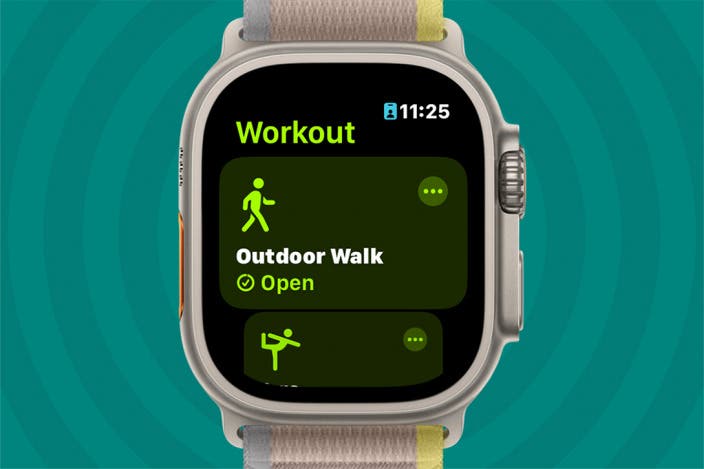
Setting up a custom workout on your Apple Watch is straightforward. Begin by opening the Workout app, then scroll down to ‘Add Workout.’ Here, you’ll find the option to create a custom workout. Choose your desired activities, whether it’s cardio, strength training, or stretching. Next, specify the duration and intensity level you want.
Don’t forget to name your workout uniquely. This makes it easier to find and use in the future. Think about what you enjoy in your gym sessions, and let your creativity shine. Could a custom HIIT session or a targeted core workout be your new favorite?
Tracking Progress And Metrics
Your Apple Watch excels at tracking your workout metrics. Once you start a custom workout, it will monitor heart rate, calories burned, and time spent exercising. These stats are crucial for understanding your progress and making adjustments.
Regularly reviewing these metrics can help you identify areas for improvement. Are you hitting your target heart rate? Is your calorie burn meeting your expectations? Use this data to refine your workouts and set new goals. How often do you check your progress? What insights have surprised you?
Credit: apps.apple.com
Expert Picks For Cardio Workouts
When it comes to maximizing your gym workouts with the Apple Watch, choosing the right cardio exercises can be a game-changer. Whether you’re a seasoned athlete or just beginning your fitness journey, finding the right workout can elevate your heart rate and boost your endurance. Let’s dive into expert picks for cardio workouts that sync seamlessly with your Apple Watch.
Best For Treadmill Sessions
The treadmill is a staple for many gym-goers, offering a controlled environment to test your limits. With the Apple Watch, you can track your pace, distance, and calories burned. Set specific goals for your treadmill workouts, like interval training, where you alternate between sprinting and walking. This keeps your heart rate fluctuating, enhancing cardiovascular benefits.
As you push your limits, the Watch’s heart rate monitor provides real-time feedback, ensuring you stay within your target heart zone. Have you ever wondered if you’re truly pushing yourself hard enough? Use the Apple Watch to answer that question with data-driven insights.
Optimal For Cycling
Indoor cycling is another fantastic cardio workout that pairs well with the Apple Watch. Whether you’re spinning at the gym or cycling on a stationary bike, you can track your progress and set new goals. The Watch’s workout app allows you to monitor speed, resistance levels, and heart rate.
Experiment with different cycling routines, like hill climbs or flat sprints, to keep things exciting. The Apple Watch can help you track these variations effortlessly, ensuring each session is both challenging and rewarding. Are you ready to pedal your way to better fitness?
Rowing Workouts
Rowing is often overlooked but provides an excellent full-body cardio workout. The Apple Watch can enhance your rowing sessions by tracking strokes per minute and calories burned. This helps you maintain a consistent pace and improve technique.
Consider setting up a rowing interval session, alternating between high-intensity rows and rest periods. The Watch’s metrics will ensure you’re rowing efficiently and not just going through the motions. Have you tried integrating rowing into your routine to break the monotony?
Top Strength Training Workouts
Choosing the right workout on your Apple Watch for gym sessions can enhance your fitness journey significantly. If strength training is your goal, you’re in luck. The Apple Watch offers a variety of workouts specifically tailored for building muscle and boosting strength. Let’s dive into the top strength training workouts you can track and optimize using your Apple Watch.
Weightlifting Options
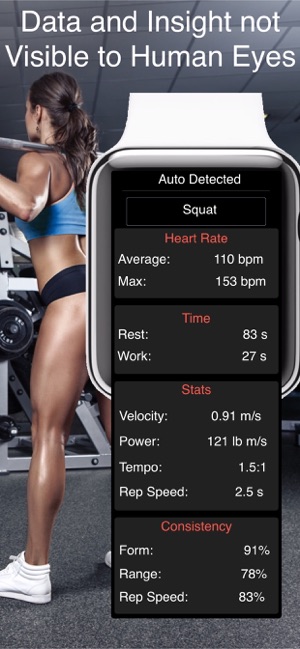
Weightlifting is a cornerstone of strength training, and your Apple Watch can be your best gym buddy here. Whether you’re performing deadlifts, bench presses, or squats, the watch helps track your progress. It monitors your heart rate, counts sets, and even helps ensure you’re lifting with proper form.
One tip is to set specific goals for each session. Are you aiming to increase your maximum lift weight, or are you focused on perfecting your form? Having a clear goal can make your workout more effective and rewarding. Plus, seeing your progress over time is incredibly motivating.
Bodyweight Exercises
Don’t have access to gym equipment? No problem! Bodyweight exercises are a fantastic way to build strength without weights. Your Apple Watch can guide you through exercises like push-ups, pull-ups, and planks.
These exercises can be done anywhere, making them perfect for those with a busy lifestyle. The watch tracks your reps, helps maintain consistency, and even provides reminders for rest intervals. It’s like having a personal trainer on your wrist.
Resistance Training
Resistance bands are another excellent tool for strength training, and your Apple Watch can keep you on track. Whether you’re working on resistance band curls or squats, the watch tracks your activity and helps maintain the correct intensity.
Have you ever wondered if you’re truly challenging yourself enough? The watch’s data can offer insights into your workout intensity and suggest when it’s time to step up the resistance. It’s a great way to ensure you’re constantly progressing and not stuck in a fitness plateau.
Incorporating these workouts into your routine can lead to noticeable improvements in strength and fitness. Your Apple Watch isn’t just a gadget—it’s a powerful tool to help achieve your fitness goals. So, what’s stopping you from harnessing its full potential on your next gym trip?
Credit: www.iphonelife.com
Hiit And Circuit Training Recommendations
Choosing the right workout on your Apple Watch can boost gym sessions. For intense exercises, HIIT offers quick calorie burn. Circuit training provides a balanced routine with strength and cardio. Both options enhance fitness levels effectively.
High-Intensity Interval Training (HIIT) and Circuit Training have become popular choices for fitness enthusiasts using the Apple Watch. These workouts not only boost cardiovascular health but also enhance strength and endurance. With the Apple Watch, monitoring these workouts becomes more efficient, offering features that are tailored to your fitness goals.Interval Training Features
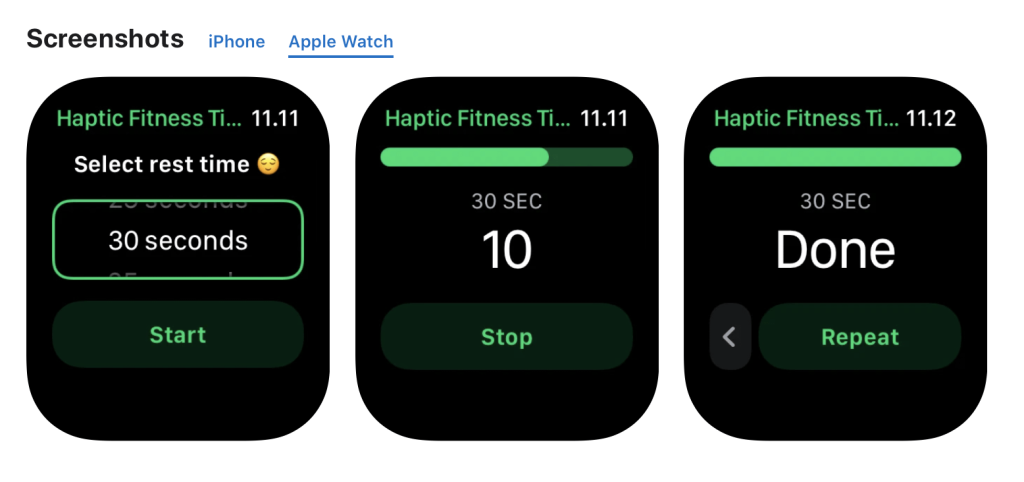
The Apple Watch is equipped with specific features for interval training, making it an excellent companion for HIIT workouts. You can customize interval lengths directly on your watch, which is perfect for tailoring workouts to your needs. Real-time heart rate monitoring keeps you in the optimal zone, ensuring you’re pushing hard enough without overdoing it. The watch vibrates to signal the start and end of each interval, so you can focus entirely on your workout without constantly checking the time. Isn’t it great to have a personal trainer on your wrist, guiding you through every session?Circuit Training Benefits
Circuit training on the Apple Watch offers a comprehensive approach to fitness by combining multiple exercises into a single workout. This method maximizes efficiency, allowing you to hit various muscle groups in a short period. Tracking features allow you to monitor reps and sets, giving a clear picture of your progress over time. The watch also provides rest timers, ensuring you recover adequately between exercises, enhancing your performance and reducing the risk of injury. Have you ever wondered how much more you could achieve with structured guidance during your workouts? The Apple Watch makes it a reality, turning your gym sessions into a well-organized routine.Utilizing Health Metrics
Choosing the right workout on your Apple Watch for gym sessions can enhance your fitness journey. The Apple Watch offers valuable health metrics that transform workouts. These metrics provide insights to optimize your exercises and reach your goals effectively.
Heart Rate Monitoring
Heart rate monitoring on the Apple Watch helps track your heart’s performance. It provides real-time data during workouts, ensuring you stay in the desired heart rate zone. This information helps in maximizing workout efficiency and improving cardiovascular health. By understanding your heart rate patterns, you can adjust the intensity of your exercises accordingly.
Calorie Tracking
Calorie tracking is essential for those focused on weight management. The Apple Watch calculates calories burned based on your activity level. It considers factors like heart rate, body movement, and exercise type. This feature helps in setting realistic fitness goals and maintaining a balanced diet. You can track your progress over time and make necessary adjustments to your workout routine.
Activity Rings
Activity Rings on the Apple Watch motivate you to stay active throughout the day. They track three main areas: Move, Exercise, and Stand. The Move ring shows calories burned by movement. The Exercise ring tracks minutes of brisk activity. The Stand ring encourages you to stand at least once per hour. Closing these rings daily ensures a balanced workout routine, promoting overall health and well-being.
Enhancing Gym Experience With Apps
The Apple Watch offers a wide range of workout options for gym enthusiasts. But enhancing your gym experience is possible with the right apps. These apps help track your progress and keep you motivated. They also provide insights to improve your workouts. Let’s explore some popular fitness apps and how to integrate them.
Popular Fitness Apps
Fitness apps enhance your Apple Watch workout experience significantly. They offer diverse features to suit different workout styles. Some popular apps include:
- Strava:Ideal for tracking running and cycling performance.
- MyFitnessPal:Helps monitor your calorie intake and nutrition.
- Map My Run:Tracks running routes and provides audio coaching.
- Fitbod:Offers personalized workout plans based on gym equipment.
These apps cater to various fitness needs. They make workouts more enjoyable and productive.
Integrating Third-party Apps
Integrating third-party apps with your Apple Watch is simple. First, ensure your app is compatible with the Apple Watch. Download the app from the App Store. Open the app on your iPhone and sync it with your watch. Customize settings according to your preferences.
Many apps offer unique features for gym workouts. Some apps provide real-time stats on your wrist. Others offer audio coaching or personalized plans. By integrating these apps, you gain more control over your fitness journey.
Integrating apps can enhance your gym experience. It allows you to track progress and stay motivated. It also helps you achieve your fitness goals effectively. Enjoy a more engaging and productive workout with these tools.
Tips For Maximizing Apple Watch Usage
Maximizing your Apple Watch usage during gym workouts can enhance your fitness journey. By optimizing settings and leveraging features, you can make the most of your device. Let’s explore some tips to ensure your Apple Watch is fully utilized.
Battery Optimization
Keep your watch charged for uninterrupted workouts. Switch off unnecessary features like the Always-On display during exercise. Lower screen brightness to save battery life. Use the Power Reserve mode for prolonged battery life.
Customizing Notifications
Customize notifications to avoid distractions during workouts. Set your watch to Do Not Disturb mode for focus. Adjust notification settings to prioritize fitness alerts. Manage app notifications to receive only essential updates.
Syncing With Other Devices
Sync your Apple Watch with your phone for seamless integration. Connect to gym equipment that supports Apple Watch syncing. Use Bluetooth to link with headphones for an immersive experience. Regularly sync data to track progress and improve workouts.
Frequently Asked Questions
Which Apple Watch Workout Is Best For Gym?
For gym workouts, the Apple Watch offers options like Strength Training, HIIT, and Functional Training. Choose based on your routine. Strength Training is ideal for weightlifting, while HIIT suits high-intensity intervals. Functional Training can be used for varied exercises. Customize settings for accuracy.
How To Track Gym Workouts On Apple Watch?
To track gym workouts, open the Workout app, select your desired activity like Strength Training or HIIT, and start. Use heart rate and calorie metrics for detailed insights. You can also pause and resume workouts as needed. Sync with Health app for comprehensive tracking.
Can Apple Watch Monitor Weightlifting?
Yes, Apple Watch can monitor weightlifting through the Strength Training workout option. It tracks heart rate, calories burned, and workout duration. Ensure proper form for accurate tracking. Adjust settings based on your routine for better results. Sync with Health app for detailed insights.
Does Apple Watch Support Hiit Workouts?
Apple Watch supports HIIT workouts, offering precise tracking of heart rate and calories burned. Select HIIT from the Workout app to start. The watch adjusts to high-intensity intervals, providing detailed metrics. Customize settings for accuracy and sync with Health app for comprehensive tracking.
Conclusion
Choosing the right workout on your Apple Watch makes gym time effective. Explore the available options on your watch. Tailor your workout to fit your goals. Whether it’s strength training or cardio, select what’s best for you. Track progress and adjust as needed.
Your watch can guide you through each session. Feel motivated by seeing real-time stats. Stay consistent for better results. Enjoy your fitness journey with technology. Make informed choices for a healthier lifestyle. Let your Apple Watch be your workout companion.
Fitness is personal, so choose wisely. Embrace the journey to a fitter you.